Google Calendar Screenshot Automation
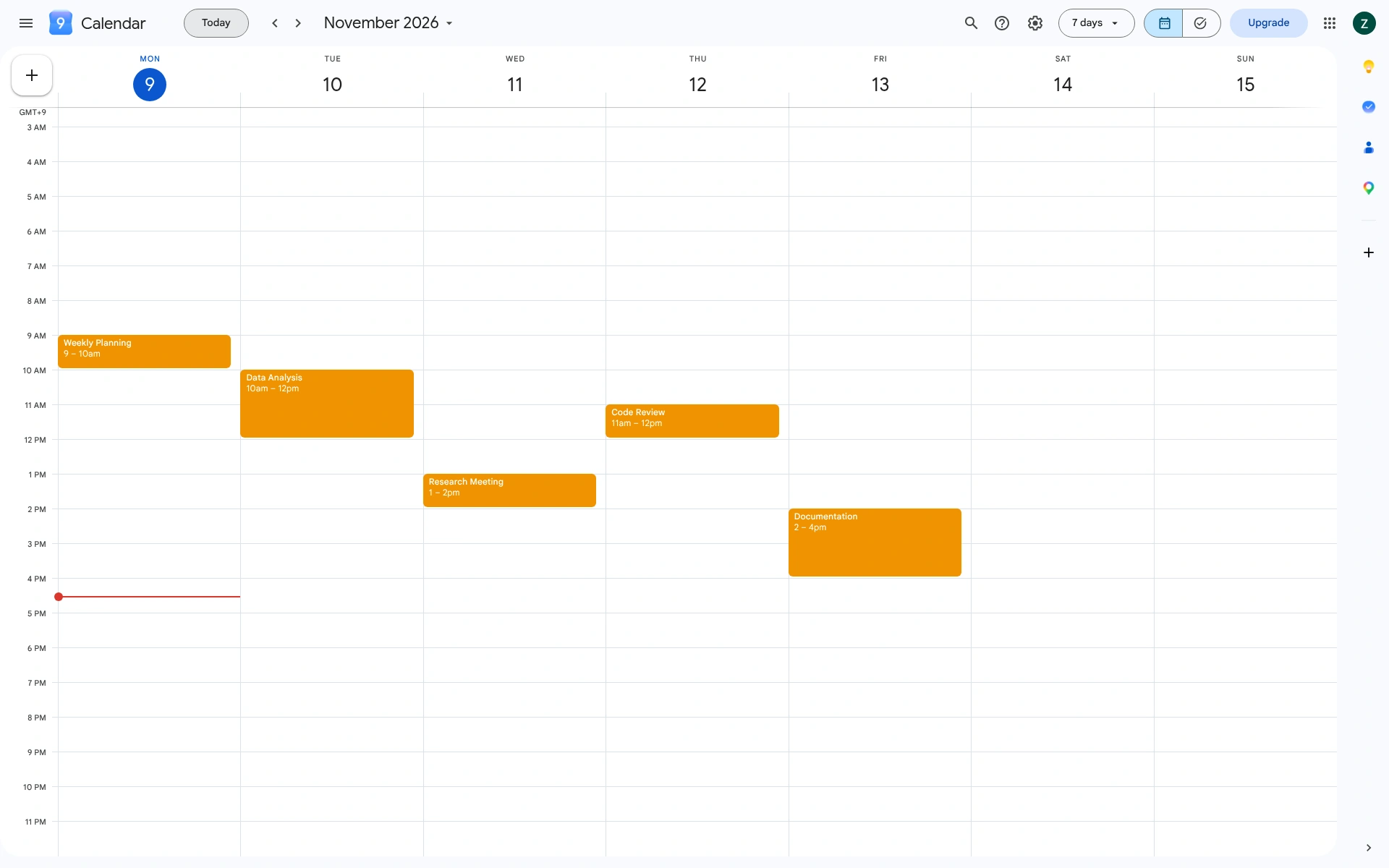
Automates daily screenshots of a rolling seven-day Google Calendar view and archives them in Google Drive.
Overview
I built this workflow to preserve a daily visual record of Google Calendar without manually capturing and uploading screenshots. By using the calendar’s web interface, it retains the familiar seven-day layout in each archived image.
Implementation
- Browser automation: Python and Playwright launch headless Google Chrome with a dedicated authenticated profile and capture the current seven-day view.
- Cloud archiving: The script saves each screenshot locally as a date-stamped PNG and uploads it to Google Drive through rclone.
- Scheduling: A systemd user timer runs the workflow daily. User lingering allows it to run after logout while the computer remains powered on.
Results
I verified the end-to-end workflow on Ubuntu 22.04, including screenshot creation, local storage, Google Drive upload, and systemd-triggered execution. The example image contains fictional events; real schedule details and authentication files are excluded from the public repository.
Technical Article
I documented the implementation, browser authentication challenges, Google Drive OAuth setup, and troubleshooting in Automating Google Calendar Screenshots with Playwright, rclone, and systemd on DEV.to.
Tools & Technologies
Python · Playwright · Google Chrome · rclone · Google Drive API · systemd · Ubuntu